Arrow Games


Arrow Cube 3D

Rotate Rings

Pigeon Pop

Arrow Puzzle Go

Geometry Arrow
Arrow Fall
Logic Arrows
Extracting files...
Logic Arrows
Continue Playing
Arrow Games
Arrow Chain

Hexa Arrows
Arrow Cube 3D
Escape Games
Rotate Rings
Arrow Puzzle Go
Geometry Arrow
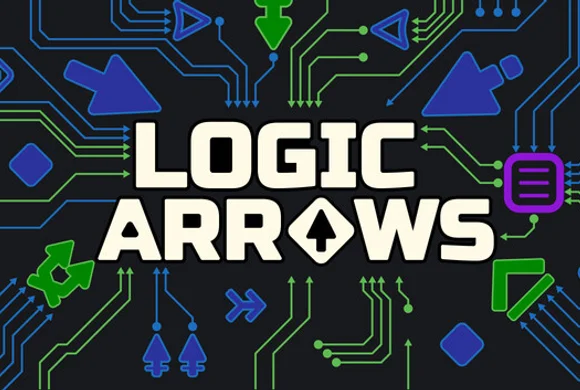
Logic Arrows is a sandbox on a grid. You place arrows that each do one simple operation on a signal, solve the puzzle by watching that flow, then try to make the same mechanism smaller or faster. Play the Logic Arrows game in your browser.
Logic Arrows is a landscape sandbox on a grid. Each arrow does one small job to a signal, and those jobs become a mechanism: a logic gate, a display, a memory block, or a computer. You place arrows so the signal does the puzzle's job.
The Logic Arrows game opens in the browser with a hotbar and a key list in the corner. The first minute is enough: pick a slot, click the grid, rotate with W A S D, and watch the signal. A working answer is only the start — the next question is whether the same job can be smaller or faster.
How to Play Logic Arrows on Arrow Games
How to play Logic Arrows for Arrow Games: click a numbered slot, then click the grid. Rotate until the signal goes where the puzzle needs. Some arrows are already on the cells. Change the ones that send it the wrong way.
The loop you repeat:
- Click a numbered slot. Page the bar when the piece you need is on another page.
- Click a cell to set the arrow. W A S D rotates it.
- Watch the signal. A wrong-facing arrow sends it somewhere else.
- Edit. E selects, R deletes, Z undoes. Drag a box around a whole cluster.
- Space pauses. Esc opens the menu.
- When the signal does the job, try a smaller layout.
On a busier board the corner list changes: mouse set and move split apart, F flips, Q picks a piece up, Tab opens inventory, and ~ frees the cursor. The corner can also show FPS and TPS. A knob sits to the right of the hotbar.
Logic Arrows Controls for Arrow Games
| Input | Action |
|---|---|
| Mouse | Move; on the second list, set and move are separate |
| Numbered slot | Choose that arrow piece |
| Bar-end arrows | Page the hotbar |
| Click a cell | Place the selected arrow |
| W A S D | Rotate |
| R / E / Z | Delete, select, undo |
| F / Q / Tab / ~ | Flip, pick, inventory, free cursor (build list) |
| Space / Esc | Pause / menu |
Logic Arrows controls for Arrow Games are that corner list. You place, rotate, and delete arrows, then let the signal run.
Logic Arrows Features on Arrow Games
Logic Arrows features for Arrow Games are the opposite of a one-tap clear. One arrow does one operation, and the behavior shows up only after several of them pass a signal along. A small grid can become a full circuit or a digit display. The same pieces can go toward a calculator, a memory block, or a CPU. You play this Logic Arrows game online in the browser, with no download.
- A numbered hotbar you page, plus a selection box for a whole cluster
- A code screen on some builds: a Code panel, Output, Clear, and Key mode
- After a solve, a smaller or faster layout is the next challenge
What Skills Can Logic Arrows Help You Practice?
Reading the signal
Follow one dot before you add another arrow. If you cannot say where it should arrive, the next piece hides the mistake.
Rotating before you commit
W A S D is the facing control. Turn the arrow while that cell is still cheap to change.
Editing a cluster
Select with E, box a group, delete with R. One wrong-facing arrow is cheaper to fix than a new row.
Making a working build smaller
After a few rounds you will notice a correct path with extra arrows. Pull pieces out and see if the signal still arrives.
Tips for Playing Logic Arrows Online on Arrow Games
Logic Arrows tips on Arrow Games:
- Page the hotbar before you assume slot 1 is the piece you need.
- Use Z the moment a click lands on the wrong cell.
- Press Space when the dots are moving and you need one tick to stay still.
- On the build list, Q picks a piece up and F flips it. Tab is inventory.
- When a wire already works, remove arrows until it almost fails.
Why Play Logic Arrows on Arrow Games?
You will like this if you want a quiet logic sandbox on a desktop browser: a keyboard, a grid, and a signal you can pause. A small board is a couple of minutes. A display is a sitting. It is a poor fit if you want to tap arrows off a map and be done.
Arrow Cube 3D asks you to clear a path. Geometry Arrow asks you to fly a corridor. Here you leave the arrows in place and make the signal do the work.
Similar Games to Logic Arrows on Arrow Games
- Arrow Cube 3D — you still read arrows, but you turn a cube and tap one off when its path is open. Logic Arrows keeps the arrows on the grid.
- Geometry Arrow — an arrow is the character in a spike cave. Timing replaces signal flow.
- Magic Cube Puzzle — you rotate a cluster and store cubes, with no wire and no hotbar.
- Num Puz — a shorter number board, with no simulation.
- Garage Tycoon — a simulation you run over time, rather than a grid of arrows.
Logic Arrows FAQs on Arrow Games
A browser sandbox. You place arrows on a grid. Each one does a single operation on a signal, and the puzzle is the mechanism those operations make.
Pick a numbered slot, click the grid, rotate with W A S D, and watch the signal. Delete or undo anything that sends it the wrong way.
Mouse to move and place, W A S D to rotate, R to delete, E to select, Z to undo, Space to pause, Esc for the menu. A second list adds F, Q, Tab, and ~.
The signal has to do the job the board asks for. After that, you try to make the build smaller or faster. There is no single correct layout.
The corner list may be on move rather than set, or the selected slot is the wrong piece. Check the highlighted slot, then rotate.
No. You play Logic Arrows online free in the browser. The grid opens without an install step.
One simple operation on a signal. The interesting behavior shows up when several arrows pass that signal along.
Some builds open a Code panel beside a small grid, with Output, Clear, and a Key mode button. The hotbar is still how you play a level.
Readouts in the corner while the simulation runs. They are a frame rate and a tick rate, not a score.
Arrow-out games remove arrows until the board is empty. Here the arrows stay. They are the machine.
Play Logic Arrows
Open a small board, place one arrow, and follow the signal for a minute. When it arrives, take a piece away and see if it still does. That second pass is the Logic Arrows game.



Train Master
Hexa Arrows

Arrow Game

Arrow Out Online

Salamander Escape

Traffic Escape
Arrow Tap Out
Tap Away Arrow
Arrow Puzzle Go

Arrow Rescue
Arrow Cube 3D
Arrow Eliminate
Logic Arrows
Logic Arrows How to Play Guide
Click a numbered slot, then click the grid to place that arrow. Rotate it with W A S D so the signal goes where you want. E selects, R deletes, and Z undoes. Space pauses, and Esc opens the menu.